

Status Access Without a Separate Office Terminal
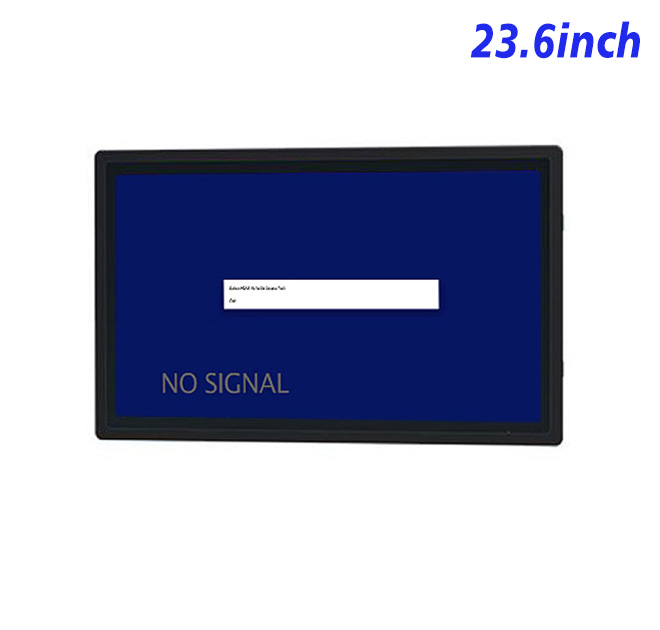
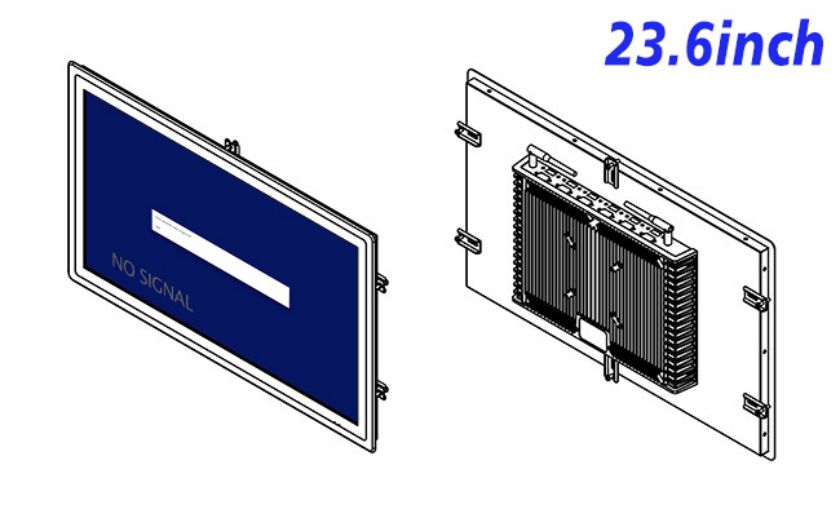
Self service devices installed beside equipment can give operators access to job status, instructions and maintenance records without requiring a trip to a central workstation. This 23.6-inch display provides a Full HD canvas for production dashboards, fault explanations, digital work instructions or approved service forms. Its wide format can place a machine diagram beside current values and the next permitted action.
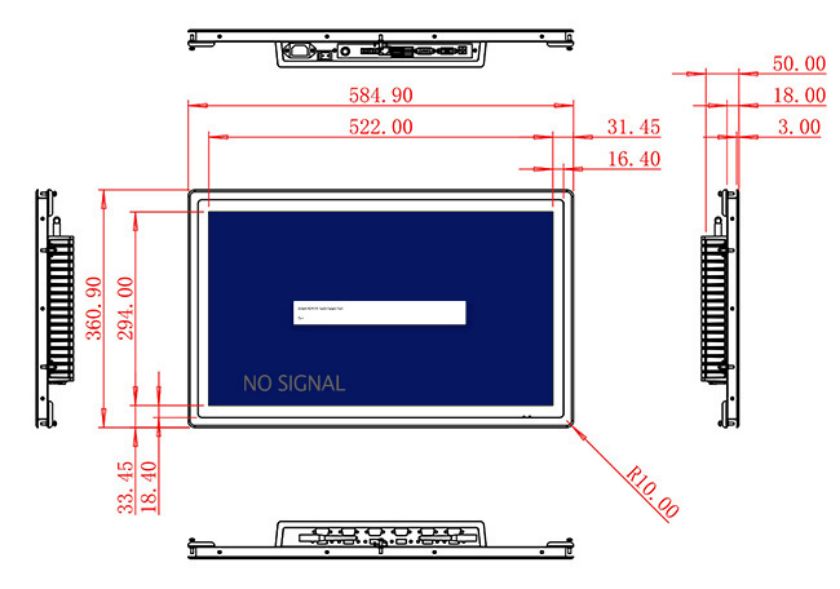
The 522 × 294 mm active area offers enough room for readable content at a standing distance. Wide 89-degree viewing angles allow a supervisor and technician to review the same screen, while the 1000:1 contrast ratio supports clear indoor graphics. Brightness is specified at 250 cd/m². The panel belongs in indoor or protected equipment rather than direct sunlight.
Connect the Display to the Existing Control Architecture
HDMI, VGA and DVI inputs provide options for external computers from different generations. This can simplify a retrofit project in which self service devices are added to equipment that cannot immediately receive a new controller. The system designer selects the source and application; the display itself does not include an operating system or machine-control software.
A USB Type-B or another requested USB connection is listed, but the exact use should be documented in the approved configuration. Optional two-channel 5 W audio can provide alarms or guided procedures. Peripheral and sound behavior should be tested with the actual source before production.
| 23.6-inch External Embedded Industrial Display Specification Document | ||||
| LCD Panel Parameters | Screen Size | 23.6 Inch | ||
| Display Area | 522 mm.(Height) X 294(Width)mm. | |||
| Aspect Ratio | 16 : 9 | |||
| LCD Type | a-Si TFT-LCD Monitor | |||
| Maximum Resolution | 1920 X 1080 | |||
| Display Color | 16.7m , 72% NTSC | |||
| Brightness | 250cd/m² | |||
| Contrast Ratio | 1000 : 1 | |||
| Viewing Angle (Up/Down/Left/Right) | 89°/89°/89°/89° (Type)(CR≥10) | |||
| Response Time | 14ms | |||
| LCD Panel Lifespan (Hours) | 60,000(Hour.) | |||
| Field Frequency | 60Hertz | |||
| Audio Parameters (External Speaker Option) |
Audio system | Stereo | ||
| Speaker size | ≈ 99 x 45 x 20 mm | |||
| Impedance | 8 Ohm | |||
| Power | 2 x 5 Watt | |||
| Loudness | > 80 Decibel | |||
| Interface | 4-pin connector | |||
| Onboard Interface | HDMI Input | 1 | ||
| VGA Input | 1 | |||
| DVI Input | 1 | |||
| USB Type B or any desired USB Type | 1 | |||
| Power | Power Supply | Alternating Current 100V~240V, 50/60Hz | ||
| Maximum Power Loss | ≤ 45 Watt | |||
| Standby Mode Power Loss | < 1 Watt | |||
| Features | Operating Temperature | 0℃ ~ 50℃ | ||
| Storage Temperature | Below 10℃ ~ +60℃ | |||
| Package Size | Device Dimensions | 584.9 X 360.9 X 50 mm. | ||
| Net Weight | 8 Kilogram | |||
| Package Size | 56 X 44 X 15Centimeter | |||
| Gross Package Weight per Unit | 9 Kilogram | |||
Mechanical and Electrical Planning
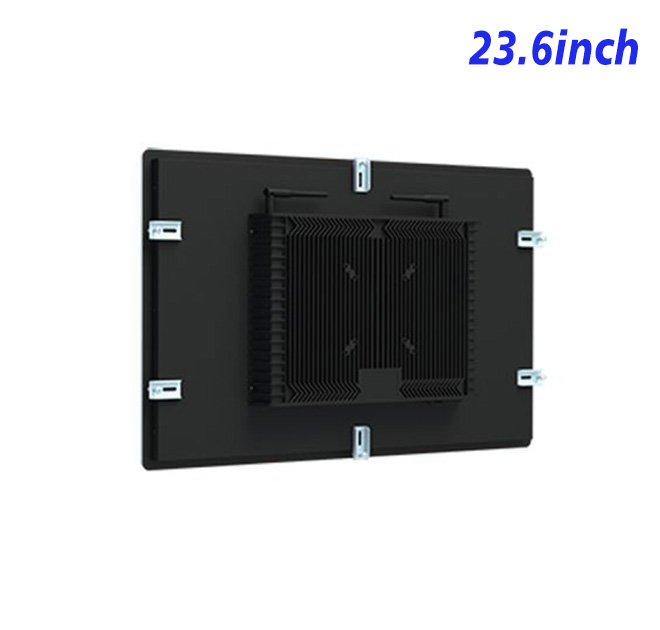
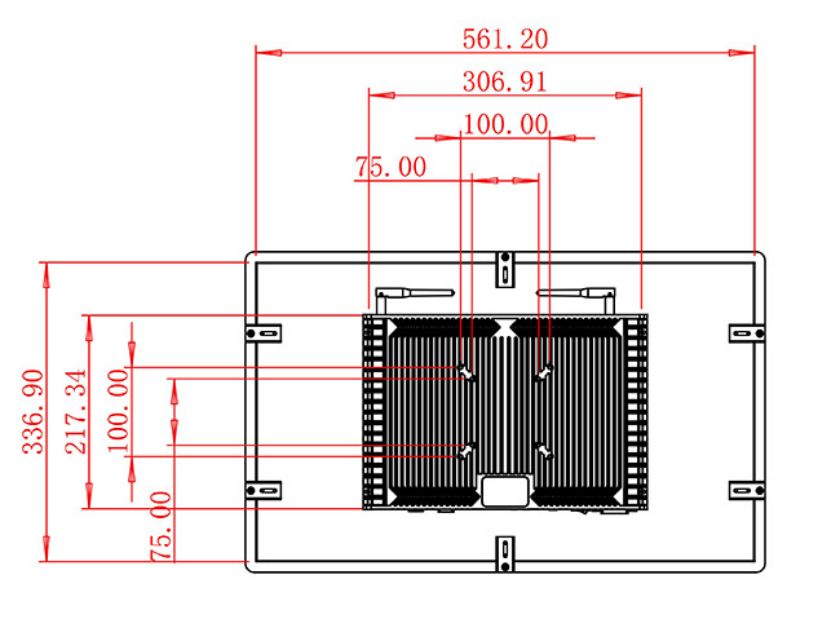
The unit measures 584.9 × 360.9 × 50 mm and weighs approximately 8 kg. A machine cabinet must support that weight, maintain the intended screen angle and leave space for connector access. If operators use gloves or tools near the front surface, the equipment builder should also evaluate protection and any requested touch technology at system level.
Input power is 100–240 V AC, maximum use is listed at 45 W and standby consumption is below 1 W. The operating range is 0°C to 50°C. No sealing or vibration rating is stated, so those protections must come from the completed cabinet.
ZXTLCD Support for Repeat Equipment Builds
Machine builders should include operators and maintenance technicians in the sample review. Operators can judge whether status colors and instructions are visible at working distance, while technicians can assess connector access and restart behavior. If the station is shared, the application should also close completed tasks and restrict configuration menus. These practical checks help self service devices support daily work without creating a new source of accidental changes, exposed data or difficult maintenance.
ZXTLCD can review the signal source, drawing and connection list with machine builders before a sample is confirmed. Testing at the intended station helps verify status readability, cable routing and recovery after the source is restarted. Once the self service devices configuration is approved, the same details can guide later production and incoming inspection.
Equipment Station FAQ
The equipment documentation should record the selected video input, normal resolution and cable type. Keeping these details with the machine simplifies troubleshooting and allows purchasing teams to compare a future replacement against the approved station. It also reduces the risk of mixing visually similar panels with different connection requirements.
Does the monitor control industrial equipment directly?
No. It displays the output of a compatible external computer or controller. Control logic remains in the buyer’s system.
Can a legacy source be connected?
VGA and DVI are listed alongside HDMI, which can support retrofit planning. The source resolution should still be tested.
Is the display protected against dust and vibration?
No protection rating is stated. The finished equipment enclosure must address the actual industrial environment.
Request Product Information
If you would like to get the specification about above product, or you hope to discuss your requirements or need any additional information on our this product , then please do not hesitate to send us a inquiry and contact our sales team now.