

A Checkout Screen Should Keep the Transaction Moving
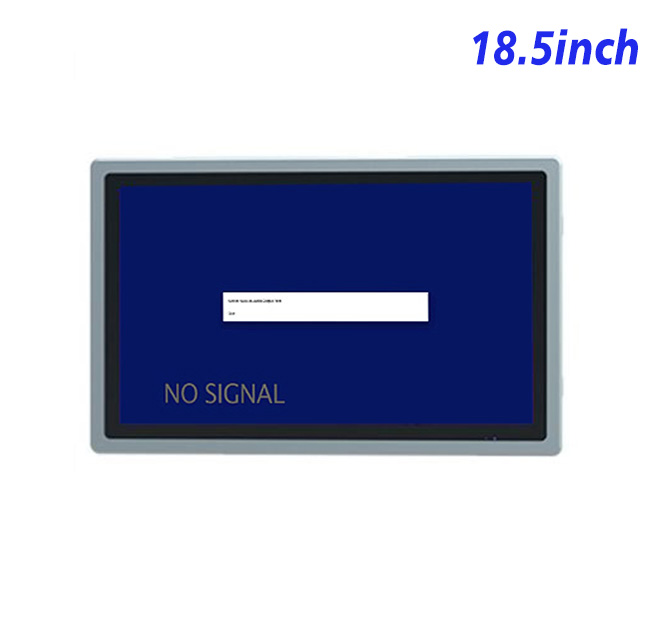
During a busy retail or food-service period, customers need to see items, quantities, modifiers and the final confirmation without hunting through crowded menus. An 18.5-inch self service POS monitor provides a Full HD workspace for a structured transaction flow while remaining compact enough for a counter or ordering fixture. Its 16:9 format can keep product information visible beside a basket summary or payment instruction area.
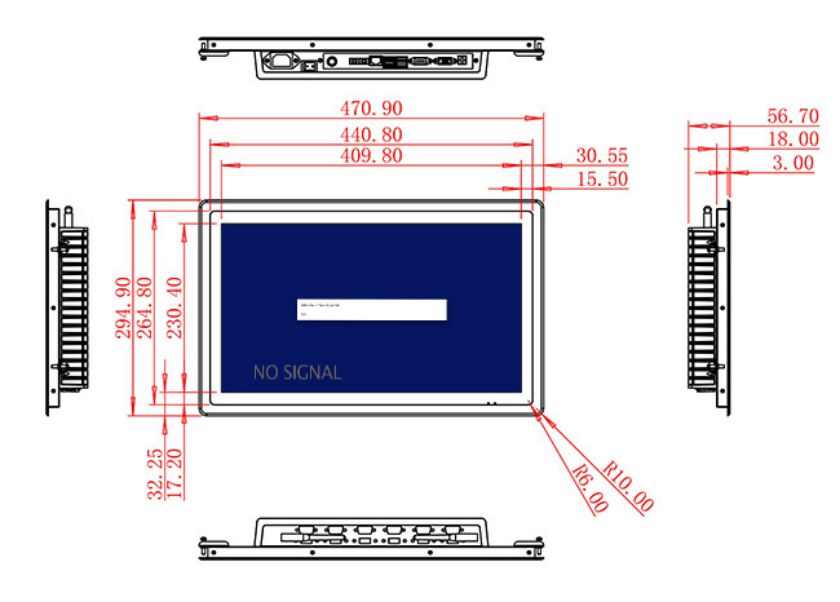
The display area measures 409.8 × 230.4 mm. A 1200:1 contrast ratio and wide 89-degree viewing angles help customers and staff view the same transaction. The listed 250 cd/m² brightness is intended for indoor stores and restaurants. Placement beside a bright storefront window should be tested for reflections.
Connect to the POS Computer Selected by the Integrator
HDMI, VGA and DVI inputs allow the display to work with different external POS computers. This is useful for resellers who support both established systems and newer hardware. The self service POS monitor does not include payment software, a printer or a card reader; those elements must be supplied and integrated as part of the complete transaction station.
A USB Type-B or requested USB connection is listed, although a defined touch-panel specification is not included in the table for this product. If touch interaction is required, the technology, controller and operating-system compatibility should be confirmed before production. Optional two-channel 5 W speakers can provide ordering prompts or accessibility audio.
| Specifications Document for 18.5-Inch External Embedded Industrial Display | ||||
| LCD Panel Parameters | Screen Size | 18.5 Inch | ||
| Display Area | 409.8 mm.(Height) X 230.4(Width)mm. | |||
| Aspect Ratio | 16 : 9 | |||
| LCD Type | a-Si TFT-LCD Monitor | |||
| Maximum Resolution | 1920 X 1080 | |||
| Display Color | 16.7m , 72% NTSC | |||
| Brightness | 250cd/m² | |||
| Contrast Ratio | 1200 : 1 | |||
| Viewing Angle (Up/Down/Left/Right) | 89°/89°/89°/89° (Type)(CR≥10) | |||
| Response Time | 14ms | |||
| LCD Panel Lifespan (Hours) | 60,000(Hour.) | |||
| Field Frequency | 60Hertz | |||
| Audio Parameters (External Speaker Option) |
Audio system | Stereo | ||
| Speaker size | ≈ 99 x 45 x 20 mm | |||
| Impedance | 8 Ohm | |||
| Power | 2 x 5 Watt | |||
| Loudness | > 80 Decibel | |||
| Interface | 4-pin connector | |||
| Onboard Interface | HDMI Input | 1 | ||
| VGA Input | 1 | |||
| DVI Input | 1 | |||
| USB Type B or any desired USB Type | 1 | |||
| Power | Power Supply | Alternating Current 100V~240V, 50/60Hz | ||
| Maximum Power Loss | ≤ 30 Watt | |||
| Standby Mode Power Loss | < 1 Watt | |||
| Features | Operating Temperature | 0℃ ~ 50℃ | ||
| Storage Temperature | Below 10℃ ~ +60℃ | |||
| Package Size | Device Dimensions | 470.9 X 294.9 X 56.7 mm | ||
| Net Weight | 6.5 Kilogram | |||
| Package Size | 55 X 38 X 17Centimeter | |||
| Gross Package Weight per Unit | 7 Kilogram | |||
Counter Design, Cleaning and Service
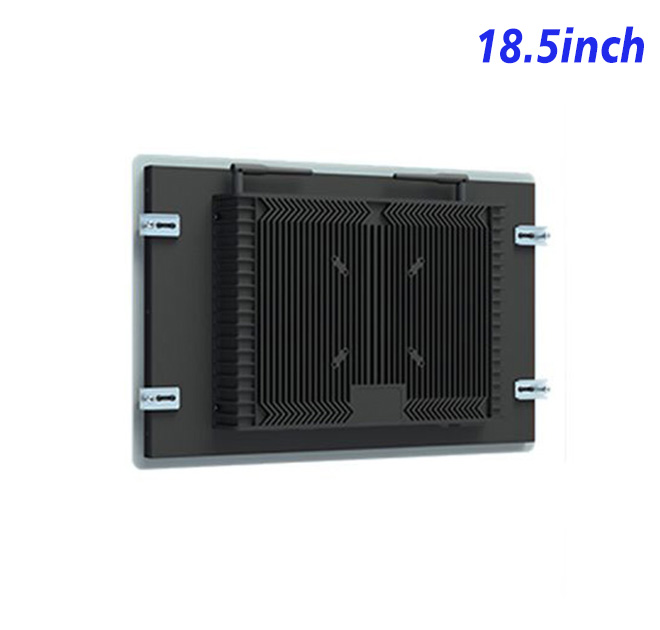
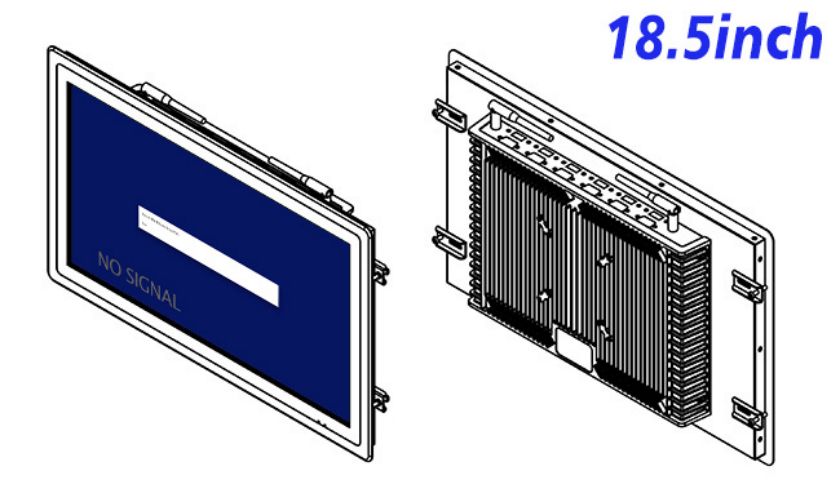
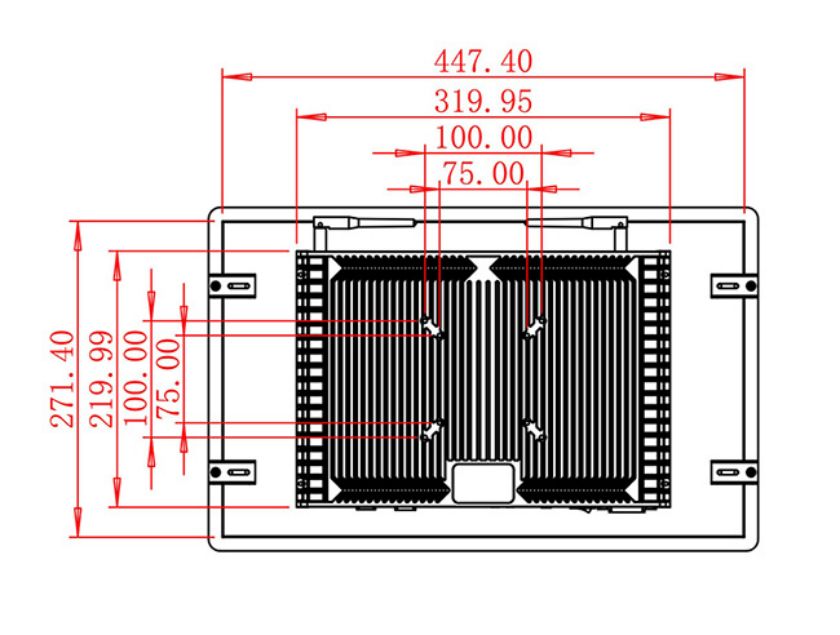
The unit measures 470.9 × 294.9 × 56.7 mm and weighs approximately 6.5 kg. A counter enclosure should position the display at a comfortable angle, conceal cables and allow staff to clean the front without liquid reaching internal electronics. Rear service access is important because POS stations frequently include several peripherals in limited space.
Power input covers 100–240 V AC, maximum consumption is 30 W and standby power is below 1 W. The specified operating range is 0°C to 50°C. The final cabinet must provide any required spill protection, impact resistance and ventilation.
Trust Through Configuration Review
Transaction flow should be reviewed with both the POS provider and the counter manufacturer. The screen may be technically compatible yet still create delays if product buttons are too small, the confirmation step is unclear or cables block service access. A pilot counter allows staff to simulate busy periods, refunds and peripheral faults before rollout. The self service POS monitor can then be approved as part of a complete working station rather than as an isolated component selected only by size.
ZXTLCD can review the video source, installation drawing, requested touch arrangement and audio requirement with POS integrators or equipment distributors. Testing a sample with the actual checkout application helps confirm text size, color consistency and signal recovery. The approved self service POS configuration can then serve as the reference for repeat counters and pre-shipment inspection.
Checkout Project FAQ
Retail buyers should agree on who supports the screen, computer, payment device and application when a fault occurs. Clear component ownership shortens troubleshooting and prevents store staff from contacting several suppliers for the same issue. The approved hardware list and wiring diagram can remain with each counter for faster service.
Is a payment system included?
No. Payment hardware and software are separate parts of the complete POS solution.
Does this model include touch?
A defined touch technology is not stated in the specification table. Touch requirements must be confirmed for the project.
Can the monitor be used in a restaurant?
It can be integrated into an indoor restaurant fixture, but the finished enclosure should address spills, cleaning and cable protection.
Request Product Information
If you would like to get the specification about above product, or you hope to discuss your requirements or need any additional information on our this product , then please do not hesitate to send us a inquiry and contact our sales team now.