

Keep the Shift Conversation Anchored in Current Data
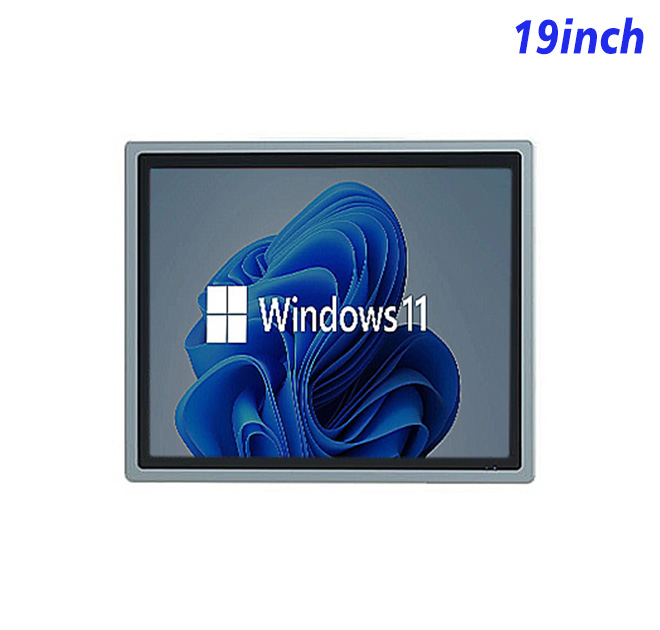
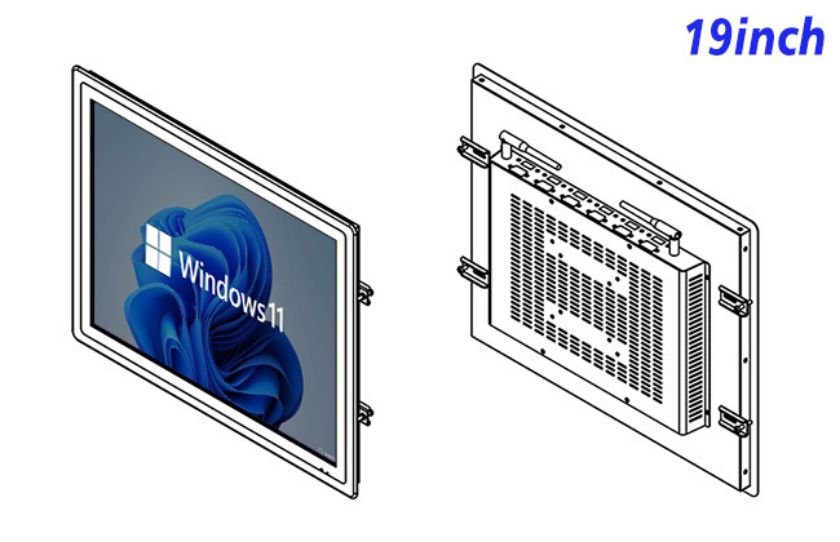
The role of this information kiosk is to keep a defined Windows workflow available at the point where information is needed. For production data review and shift reporting, a dedicated embedded station avoids the interruptions and inconsistent setup that come from borrowing an office computer.
Supervisors can review output, downtime reasons and open actions from a fixed Windows station positioned between the line and the shift meeting area. The 5:4 screen shape gives vertical tables and status lists more space than a widescreen of similar diagonal size, which suits dense operational dashboards.
A 5:4 Format for Tables and Status Lists
The 19-inch panel provides 1280 × 1024 resolution, 250 cd/m² brightness and a 1000:1 contrast ratio. The embedded Windows configuration can be specified with one of the listed Intel processor options, 4 GB or 8 GB RAM and 128 GB or 256 GB storage. Windows 10 or Windows 11 is listed as optional, with RJ45, HDMI and four USB connections available for integration. The final combination must be recorded with the approved sample.
The internal computer changes the procurement discussion. Buyers are approving a display, operating platform, storage plan and connector layout together, so the quotation and sample record should identify every selected option.
| Embedded Windows All-in-One Computer Specifications 19 Inch | ||||
| LCD Panel Parameters | Screen Size | 19 Inch | ||
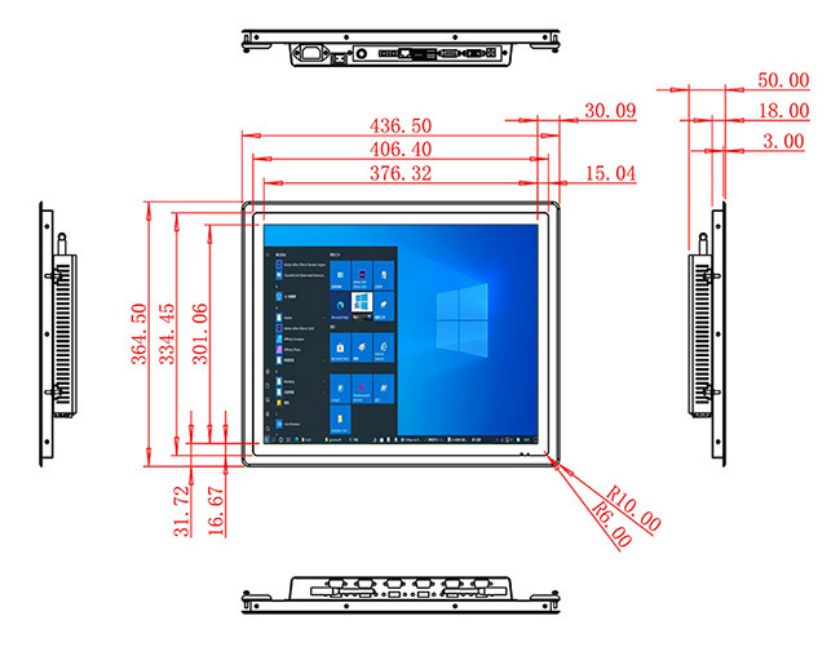
| Display Area | 376.32 mm.(Height) X 301.06(Width)mm. | |||
| Aspect Ratio | 4 : 3 | |||
| LCD Type | a-Si TFT-LCD Monitor | |||
| Maximum Resolution | 1280 X 1024 | |||
| Display Color | 16.7m , 73% NTSC | |||
| Brightness | 250cd/m² | |||
| Contrast Ratio | 1000 : 1 | |||
| Viewing Angle (Up/Down/Left/Right) | 89°/89°/89°/89° (Type)(CR≥10) | |||
| Response Time | 14Miss | |||
| LCD Panel Lifespan (Hours) | 60,000(Hour.) | |||
| Field Frequency | 60Hertz | |||
| Audio parameters | Audio system | Stereo | ||
| Speaker size | ≈ 99 x 45 x 20 mm | |||
| Impedance | 8 Ohm | |||
| Power | 2 x 5 Watt | |||
| Loudness | > 80 Decibel | |||
| Interface | 4-pin connector | |||
| Internal computer configuration (Choose one of two) |
CPU | Intel i5-4310M Generation 4, Dual-Core Four Threads, Main frequency can reach up to 2.7GHz | Intel I5-6100T Generation 6, Dual-Core Four Threads, Main frequency can reach up to 3.2GHz | |
| Graphics Card | Integrated Graphics Card Intel® HD 4600 | Integrated Graphics Card Intel® HD 530 | ||
| RAM | 4GB | 8GB | ||
| Storage Memory Capacity | 128GB | 256GB | ||
| OS | Win10 or win11 Optional | Win10 or win11 Optional | ||
| Wi-Fi Built-in | Speed 150Mbps 802.11n wifi Integrated | Speed 150Mbps 802.11n wifi Integrated | ||
| Media Format | Video Format | wmv, avi, flv, rm, rmvb, mpeg, ts, mp4 etc. | ||
| Audio Format | MP3, WMA | |||
| Photo Format | BMP, JPEG, PNG, GIF etc. | |||
| Onboard Interface | Network port | RJ45 X 1, 10M/100M Adjustable Ethernet | ||
| HDMI | 1 | |||
| USB | 4 | |||
| Power | Power Supply | Alternating Current 100V~240V, 50/60Hz | ||
| Maximum Power Loss | ≤ 30 Watt | |||
| Standby Mode Power Loss | < 1 Watt | |||
| Features | Operating Temperature | 0℃ ~ 50℃ | ||
| Storage Temperature | Below 10℃ ~ +60℃ | |||
| Package Size | Device Dimensions | 436.5 X 364.5 X 50 mm. | ||
| Net Weight | 6.5 Kilogram | |||
| Package Size | 52 X 44 X 15 Centimeter | |||
| Gross Package Weight per Unit | 7 Kilogram | |||
One Housing for Display and Windows Computing
Dashboard Workload
The application supplier should define CPU load, memory use, storage growth, Windows version and recovery behavior before hardware approval. Media playback, database access and background services can create very different demands even when two screens show a similar opening page.
Network and Login Policy
The current specification describes a non-touch screen. The project must provide and validate the intended keyboard, pointing device or scanner instead of assuming direct screen interaction. Connected equipment must be confirmed against the available ports, drivers and the responsibilities of the integrator.
Plan Inputs before Releasing the Enclosure
Operator Input Hardware
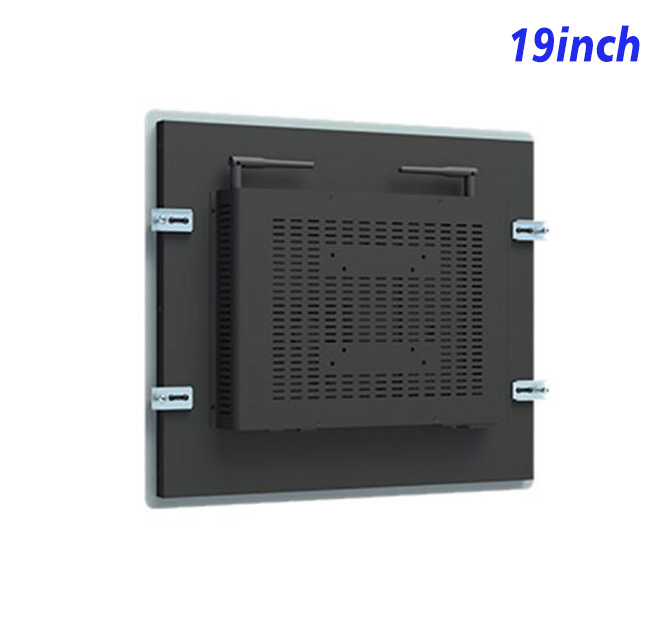
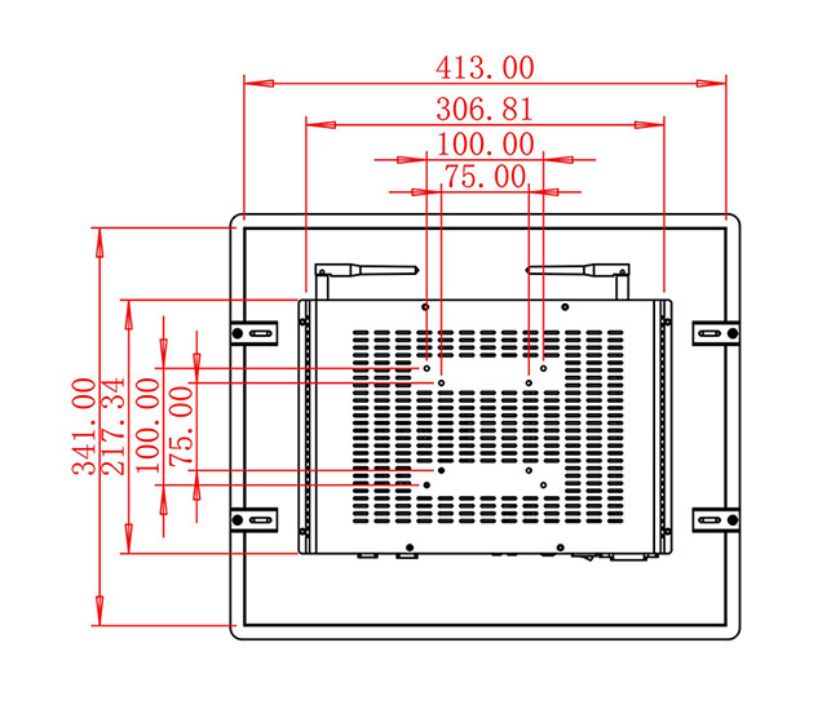
Installation drawings should cover the front opening, mounting points, rear clearance, power access, network routing and removal path. A service technician should be able to reach the computer connections without dismantling unrelated parts of the host equipment.
The interface should also handle an interrupted network or application restart visibly. A clear offline or recovery message is more useful than a frozen dashboard, particularly where staff do not have administrator access.
Windows maintenance needs a written policy before the unit enters service. The buyer should identify who manages accounts, updates, antivirus tools, backups and recovery media. Automatic changes that are harmless on an office PC can interrupt a dedicated station, so update timing and restart behavior should be tested with the actual production data review and shift reporting application.
Turn the Pilot into a Controlled Standard
A pilot unit should run the intended software, input device and peripherals for a representative working period. Teams can then check startup, login, media or data performance, cable access and the process for restoring the approved configuration.
For repeat orders, record the selected processor, RAM, storage, Windows version, panel, connectors and packing method. This configuration sheet helps incoming inspection and prevents the information kiosk from changing silently between a tested sample and a later production batch.
Support the Station after Handover
ZXTLCD supports project buyers through specification, drawing and configuration review before production. Distributors can share quantity, software workload, installation environment and connected equipment so hardware decisions are tied to the real deployment rather than a generic all-in-one description.
Operational ownership should be documented at handover. Hardware, Windows administration, application updates, network access and peripherals may belong to different teams. Clear records shorten fault diagnosis, protect the tested setup and give future expansions a dependable starting point. Project photos, wiring references and the approved software image should remain available for later service or expansion. This makes the information kiosk easier to support after the original project team has moved on.
Request Product Information
If you would like to get the specification about above product, or you hope to discuss your requirements or need any additional information on our this product , then please do not hesitate to send us a inquiry and contact our sales team now.