

Connect Guest Choices with the Morning Service Team
The buying decision for a hotel breakfast ordering kiosk should start with the service bottleneck, not the diagonal screen size. In hotel breakfast selection and service coordination, the embedded Windows platform can consolidate information that would otherwise be split between paper tickets, verbal updates and a remote office PC.
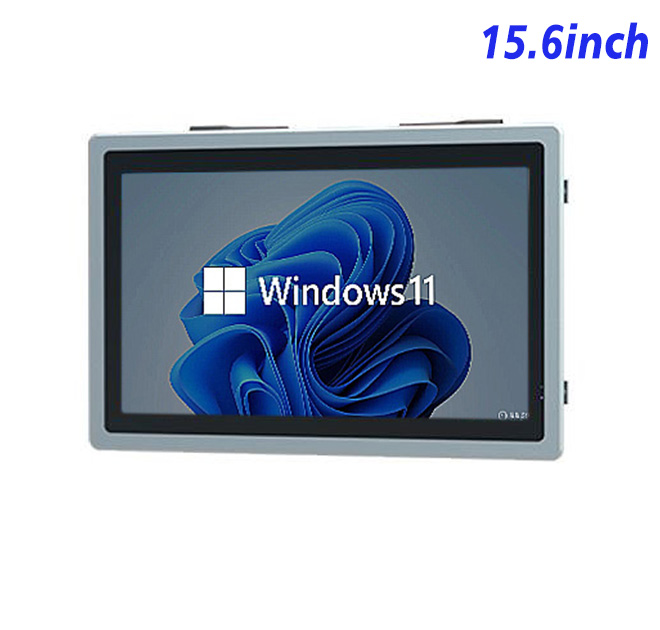
Staff can manage room-linked breakfast selections, dietary notes and pickup timing from a compact Full HD station positioned near the service preparation area. The widescreen layout accommodates categories, guest details and order status together, supporting bilingual interfaces without requiring an oversized enclosure.
The operational goal can then be translated into measurable acceptance points: which information must remain visible, how quickly an exception is recognized and what the operator does when a connected service is unavailable. These questions keep the application and enclosure focused on the real service moment instead of adding features that slow the team down.
Full HD Detail in a Moderate Wall Opening
| Specifications of Embedded Windows All-in-One Computer 15.6-Inch Display | ||||
| LCD Panel Parameters | Screen Size | 15.6 Inch | ||
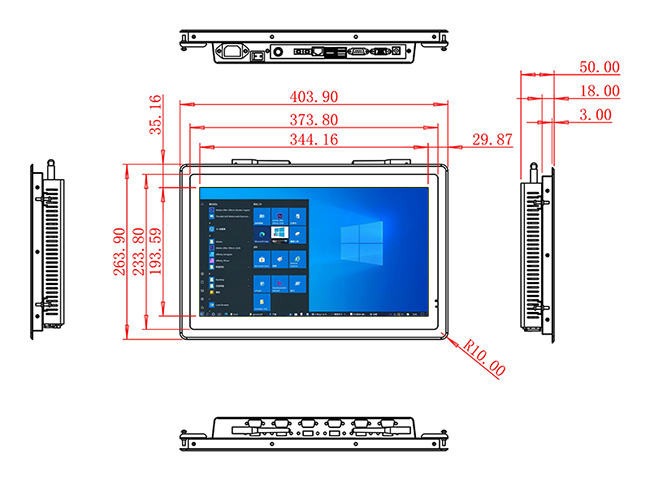
| Display Area | 344.16 mm.(Height) X 193.59(Width)mm. | |||
| Aspect Ratio | 16 : 9 | |||
| LCD Type | a-Si TFT-LCD Monitor | |||
| Maximum Resolution | 1920 X 1080 | |||
| Display Color | 16.7M , 72% NTSC | |||
| Brightness | 250cd/m² | |||
| Contrast Ratio | 700 : 1 | |||
| Viewing Angle (Up/Down/Left/Right) | 89°/89°/89°/89° (Type)(CR≥10) | |||
| Response Time | 30ms | |||
| LCD Panel Lifespan (Hours) | 60,000(Hour.) | |||
| Field Frequency | 60Hertz | |||
| Audio parameters | Audio system | Stereo | ||
| Speaker size | ≈ 99 x 45 x 20 mm | |||
| Impedance | 8 Ω | |||
| Power | 2 x 5 Watt | |||
| Loudness | > 80 Decibel | |||
| Interface | 4-pin connector | |||
| Internal computer configuration (Choose one of two) |
CPU | Intel i5-4310M Generation 4, Dual-Core Four Threads, Main frequency can reach up to 2.7GHz | Intel I5-6100T Generation 6, Dual-Core Four Threads, Main frequency can reach up to 3.2GHz | |
| Graphics Card | Integrated Graphics Card Intel® HD 4600 | Integrated Graphics Card Intel® HD 530 | ||
| RAM | 4GB | 8GB | ||
| Storage Memory Capacity | 128GB | 256GB | ||
| OS | Win10 or win11 Optional | Win10 or win11 Optional | ||
| Wi-Fi Built-in | Speed 150Mbps 802.11n wifi Integrated | Speed 150Mbps 802.11n wifi Integrated | ||
| Media Format | Video Format | wmv, avi, flv, rm, rmvb, mpeg, ts, mp4 etc. | ||
| Audio Format | MP3, WMA | |||
| Photo Format | BMP, JPEG, PNG, GIF etc. | |||
| Onboard Interface | Network port | RJ45 X 1, 10M/100M Adjustable Ethernet | ||
| HDMI | 1 | |||
| USB | 4 | |||
| Power | Power Supply | Alternating Current 100V~240V, 50/60Hz | ||
| Maximum Power Loss | ≤ 30 Watt | |||
| Standby Mode Power Loss | < 1 Watt | |||
| Features | Operating Temperature | 0℃ ~ 50℃ | ||
| Storage Temperature | Below 10℃ ~ +60℃ | |||
| Package Size | Device Dimensions | 403.9 X 263.9X 50mm. | ||
| Net Weight | 5 Kilogram | |||
| Package Size | 47 X 33 X 15Centimeter | |||
| Gross Package Weight per Unit | 5.5 Kilogram | |||
Property-System Connection
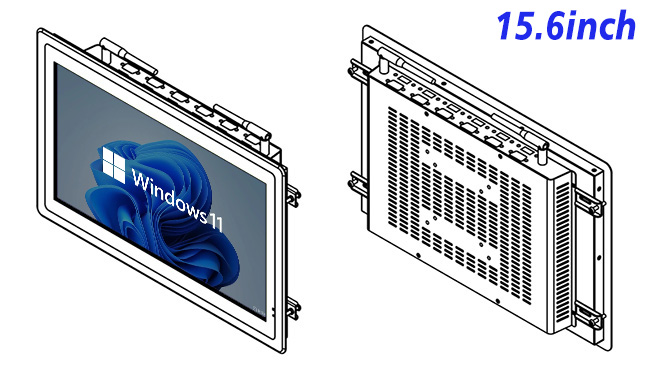
The 15.6-inch LCD is specified at 1920 × 1080 resolution, 250 cd/m² brightness and 700:1 contrast. The embedded computer can use one of the listed Intel processor options with 4 GB or 8 GB RAM and 128 GB or 256 GB storage. Windows 10 or Windows 11 is listed as optional. RJ45, HDMI and four USB connections support system integration, while maximum power consumption is listed at 30 W. The selected combination must be recorded with the approved sample.
The final Windows image should match the ordering application, language set, network policy and restart procedure. Automatic updates and background services need controlled timing so they do not interrupt a meal period.
Match the Windows Configuration to Hotel Software
Staff Input Hardware
Guest authentication, room-system integration, payment and touch interaction are application-level or optional project functions rather than confirmed features of this base unit. The completed system should clearly separate ordering, payment, printing and operational-control responsibilities.
Interface testing should include unavailable products, price changes, modifiers, cancelled tickets and an interrupted connection. These less attractive scenarios reveal more about daily reliability than a perfect demonstration order.
Handle Guest Data with a Defined Ownership Plan
Content and Language Versions
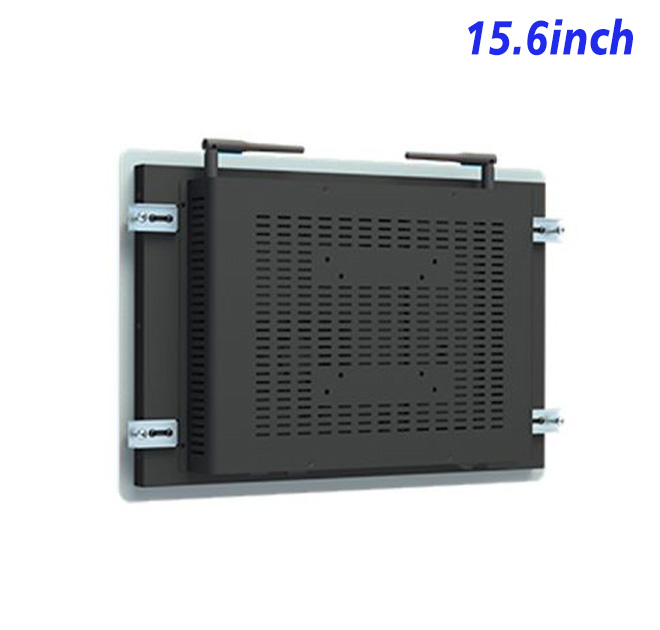
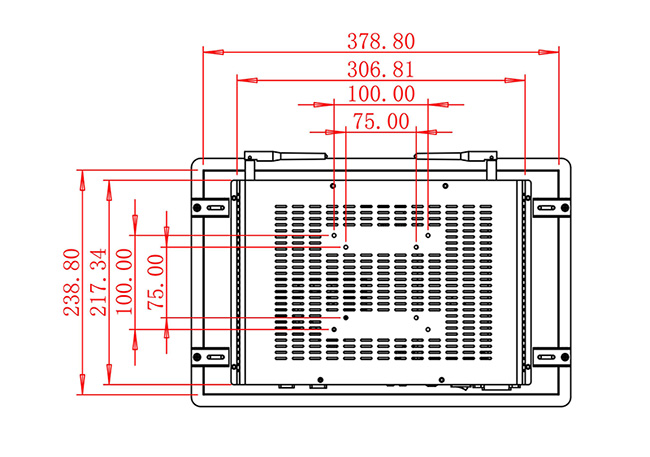
Mounting depth, cable direction, ventilation and removal access should be resolved in drawings. Staff also need a documented way to restart the application and identify whether a fault belongs to power, Windows, network, software or a peripheral.
Cleaning routines must suit the installed enclosure and input hardware. The base panel specification alone does not prove resistance to grease, water, chemicals or exposed outdoor conditions.
Pilot the Breakfast Workflow across One Service Cycle
A pilot should run through the busiest expected service cycle. Order completion time, corrections, printer delays and requests for assistance provide evidence for improving the interface before volume deployment.
For repeat purchases, the approved processor, RAM, storage, operating system, panel, interfaces and cosmetics should be recorded together. Configuration control prevents the hotel breakfast ordering kiosk from becoming a vague label applied to different hardware.
Prepare for Seasonal and Multi-Property Updates
ZXTLCD works with distributors and system integrators on configuration and drawing review before production. Buyers can share software demand, installation constraints, quantity and peripheral plans so the proposed embedded station reflects the real restaurant project.
Long-term support is easier when each site retains the wiring plan, Windows image, application version and ownership contacts. This documentation helps the hotel breakfast ordering kiosk adapt to seasonal menus, store expansion and replacement needs without repeating the original engineering work.
Before the purchase order is released, stakeholders should approve the configuration list, front-opening drawing, connector access and software test result. Keeping these records together supports clearer factory communication and faster site diagnosis. It also gives multi-location operators a repeatable reference when a future counter is fabricated by a different local contractor.
Request Product Information
If you would like to get the specification about above product, or you hope to discuss your requirements or need any additional information on our this product , then please do not hesitate to send us a inquiry and contact our sales team now.