Make Service Information Part of the Machine
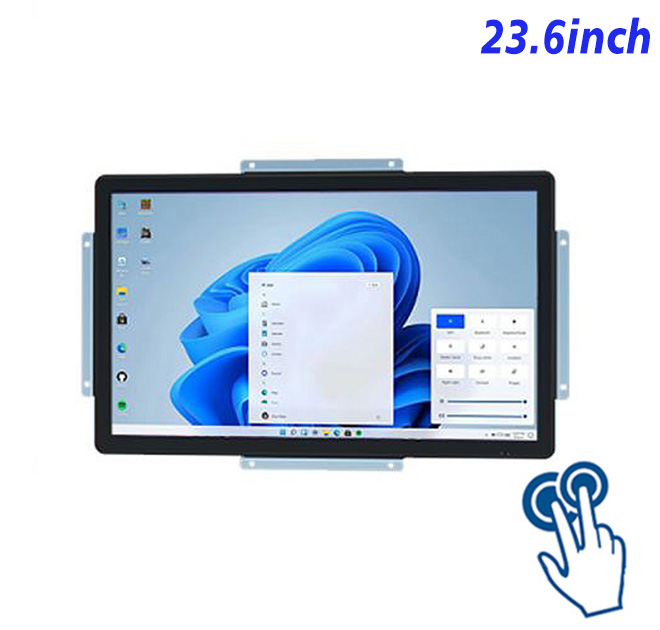
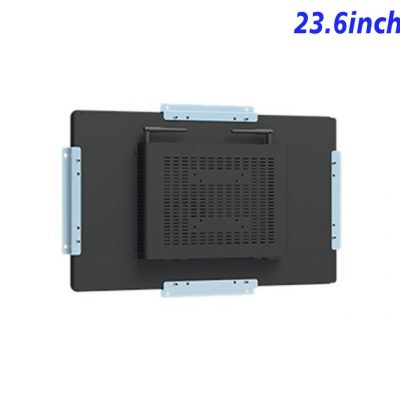
Maintenance teams lose time when procedures, service history and equipment diagrams remain on a distant office computer. A 23.6-inch Windows industrial panel PC places these materials beside the machine in a Full HD interactive format. Technicians can move through records, reference images and task pages on one dedicated surface. Combining the touch display and Windows computer in the panel also helps machine builders create a cleaner diagnostic fixture that looks like part of the equipment rather than a temporary service setup.
Machine builders can use the panel as part of an after-sales service concept. The same interface can appear during commissioning, technician training and later maintenance, making support feel consistent. Distributors may add local application configuration and service around the hardware. A representative sample helps customers understand the workflow before they approve several stations. Once established, the panel becomes a repeatable component for related machines and gives sales teams a tangible way to demonstrate the manufacturer’s service capability.
Use Widescreen Space for Records and Diagrams
| ZXTLCD-EN236BPCT Capacitive Touch System All-in-One Computer with Windows, Size 23.6 Inch | ||||
| LCD Panel Parameters | Screen Size | 23.6 Inch | ||
| Display Area | 522 mm.(Height) X 294(Width)mm. | |||
| Aspect Ratio | 16 : 9 | |||
| LCD Type | a-Si TFT-LCD Monitor | |||
| Maximum Resolution | 1920 X 1080 | |||
| Display Color | 16.7m , 72% NTSC | |||
| Brightness | 250cd/m² | |||
| Contrast Ratio | 1000 : 1 | |||
| Viewing Angle (Up/Down/Left/Right) | 89°/89°/89°/89° (Type)(CR≥10) | |||
| Response Time | 14ms | |||
| LCD Panel Lifespan (Hours) | 60,000(Hour.) | |||
| Field Frequency | 100Hertz | |||
| PCAP Touchscreen Panel Parameters | Touch Pattern | Projected Capacitive Touchscreen Monitor | ||
| Touch Points | 10 Points | |||
| Cover Glass | Morse Glass Size 7 Physically reinforced to prevent explosion | |||
| Glass 3 mm. Optical mount to reduce parallax | ||||
| Glass Transmission | >85% (Higher light transmission depends on glass coating technology For example AR/AG) >85% | |||
| Response Speed | < 6ms | |||
| Touch Accuracy | More than 90% of the touch area ±2 mm | |||
| Touch Method | Inch Stylus | |||
| Output Format | Coordinate Output | |||
| Click Time | Unlimited | |||
| Smallest Touch Size | 5 mm | |||
| Long-lasting Durability | Yes, Available | |||
| Touch Interface | USB | |||
| Operating Temperature and Humidity | Below 10℃ ~ +50℃, ≤ 85%RH | |||
| Storage Temperature and Humidity | Less than 20℃ ~ +60℃, ≤ 90%RH | |||
| Audio parameters | Audio system | Stereo | ||
| Speaker size | ≈ 99 x 45 x 20 mm | |||
| Impedance | 8 Ohm | |||
| Power | 2 x 5 Watt | |||
| Loudness | > 80 Decibel | |||
| Interface | 4-pin connector | |||
| Internal computer configuration (Choose one of two) |
CPU | Intel i5-4310M Generation 4, Dual-Core Four Threads, Main frequency can reach up to 2.7GHz | Intel I5-6100T Generation 6, Dual-Core Four Threads, Main frequency can reach up to 3.2GHz | |
| Graphics Card | Integrated Graphics Card Intel® HD 4600 | Integrated Graphics Card Intel® HD 530 | ||
| RAM | 4GB | 8GB | ||
| Storage Memory Capacity | 128GB | 256GB | ||
| OS | Win10 or win11 Optional | Win10 or win11 Optional | ||
| Wi-Fi Built-in | Speed 150Mbps 802.11n wifi Integrated | Speed 150Mbps 802.11n wifi Integrated | ||
| Media Format | Video Format | wmv, avi, flv, rm, rmvb, mpeg, ts, mp4 etc. | ||
| Audio Format | MP3, WMA | |||
| Photo Format | BMP, JPEG, PNG, GIF etc. | |||
| Onboard Interface | Network port | RJ45 X 1, 10M/100M Adjustable Ethernet | ||
| HDMI | 1 | |||
| USB | 4 | |||
| Power | Power Supply | Alternating Current 100V~240V, 50/60Hz | ||
| Maximum Power Loss | ≤ 45 Watt | |||
| Standby Mode Power Loss | < 1 Watt | |||
| Features | Operating Temperature | 0℃ ~ 50℃ | ||
| Storage Temperature | Below 10℃ ~ +60℃ | |||
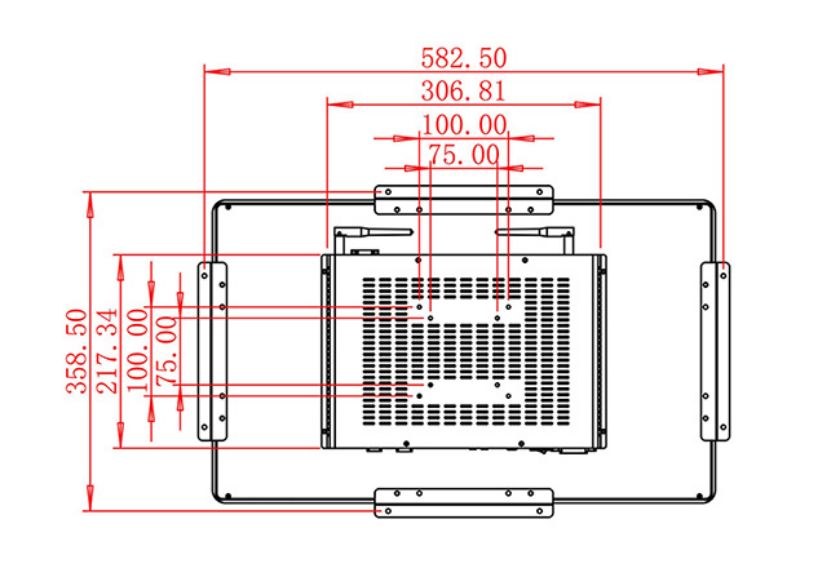
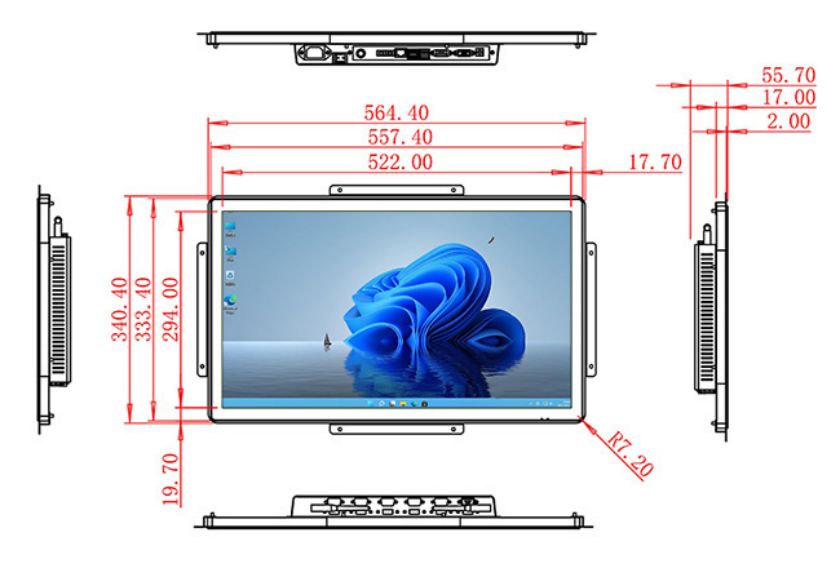
| Package Size | Device Dimensions | 564.4 X 340.4 X 55.7mm. | ||
| Net Weight | 8 Kilogram | |||
| Package Size | 54 X 42 X 15Centimeter | |||
| Gross Package Weight per Unit | 9 Kilogram | |||
A practical view for technicians
With 1920 × 1080 visual space, the 23.6-inch panel can organize operational information and direct actions without imitating a desktop full of unrelated windows. Project teams can use the retained table when reviewing the exact panel and enclosure relationship.
A service page may combine machine identity, recent alarms, replacement history, diagrams and a checklist for the current task. Direct touch helps technicians move through information without adding loose keyboard and mouse hardware around the equipment. The Windows environment supports established service applications and documentation tools selected by the buyer. Connected instruments, scanners or diagnostic modules remain project-specific and should be checked against the listed interfaces. This keeps the product promise clear while giving service teams a more professional working surface.
Touch through Procedures and Equipment History
Integrated hardware for a cleaner service station
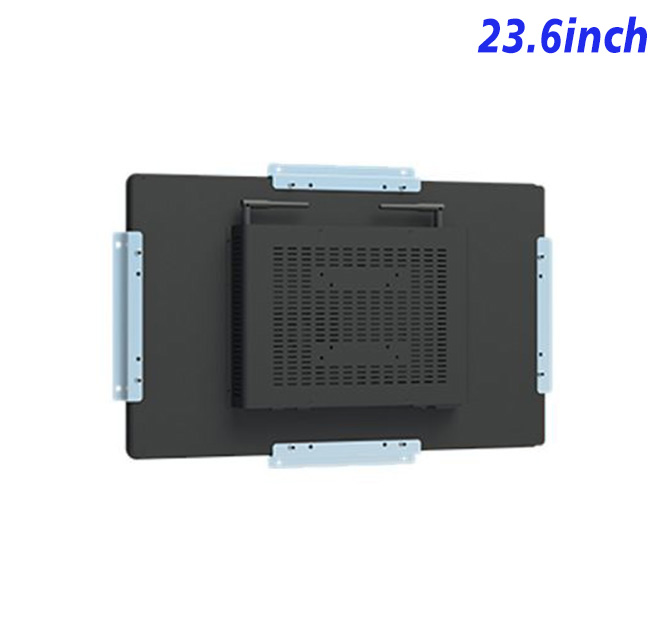
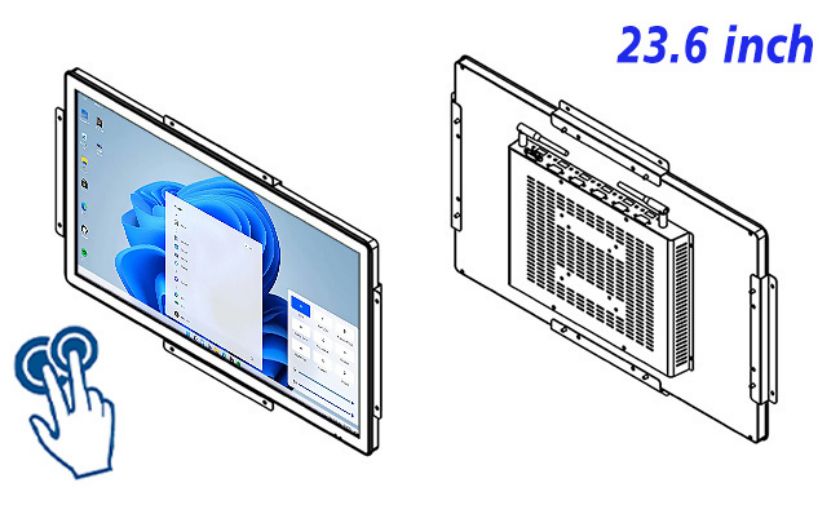
Display, touch and Windows processing share one product assembly, helping equipment designers create a cleaner enclosure and more repeatable service arrangement. The customer controls the application and should validate performance, network behavior and peripheral compatibility using the selected hardware configuration.
Run Familiar Service Software within the Panel
The 23.6-inch Windows industrial panel PC can make service capability more visible in the equipment manufacturer’s marketing. Customers can see procedures, diagrams and records running on the actual service station rather than hearing an abstract promise of digital support. This strengthens demonstrations at the factory, exhibition or distributor showroom. A consistent platform across related machines also makes technician training and replacement planning easier. The approved sample becomes a common reference for engineering, sales and after-sales teams when a customer requests additional equipment or service points.
ZXTLCD can review the maintenance workflow integration project around the real enclosure, visible finish, logo, mounting relationship and connector access. A branded, application-ready sample gives purchasing, engineering and sales teams the same physical reference. Once fit, appearance and selected configuration are approved, that reference can support repeat production, distributor demonstrations and later replacement or expansion orders.
From Maintenance Prototype to Repeat Equipment Supply
ZXTLCD supplies industrial touch computers to OEM buyers, equipment manufacturers, integrators and international distributors. Project communication can cover application, drawing, quantity and selected hardware before production. Sample review reduces assumptions between technical and purchasing teams, while controlled repeat supply supports longer commercial programs and local after-sales planning.
The 23.6-inch Windows industrial panel PC can carry the buyer’s software, visual identity and service concept into a more professional finished product. Testing real content, operator reach and mechanical fit during the sample stage creates a clearer route to approval and repeat purchasing while keeping project-specific functions within the scope of the complete solution.